·3 min read
How to delegate and vote in BOB governance

Nick Campion
Head of Marketing
A step by step guide to participating in BOB governance
All BOB token holders are automatically members of the BOB DAO and eligible to participate in BOB governance.
The objective of a decentralized governance system like BOB’s is to align key actors like builders, researchers, tokenholders, and delegates, bringing perspectives from different regions, user groups, and use cases, in order to help BOB build better products and deliver on its vision.
You must delegate your BOB tokens to activate your vote power
You can delegate your tokens to yourself (self-delegation) if you would like to actively vote on each governance proposal. Or you can delegate your tokens to a third-party, entrusting them to vote on your behalf. There are already a number of delegates to choose from on the BOB governance platform, each with different profiles and stated priorities.
Your total vote power is the sum of your staked and unstaked tokens. Investors and team can also vote with both vested and unvested tokens. You must delegate before a vote is live on the governance platform for your vote power to be counted.
Option 1 - self-delegation
-
Go to the BOB Governance platform at gov.gobob.xyz/dao
-
Connect your EVM wallet that contains your BOB tokens, or that you used to stake your BOB, via the ‘Connect wallet’ button. It will ask you to sign in to the system with your wallet. No gas fee is required at this point.
-
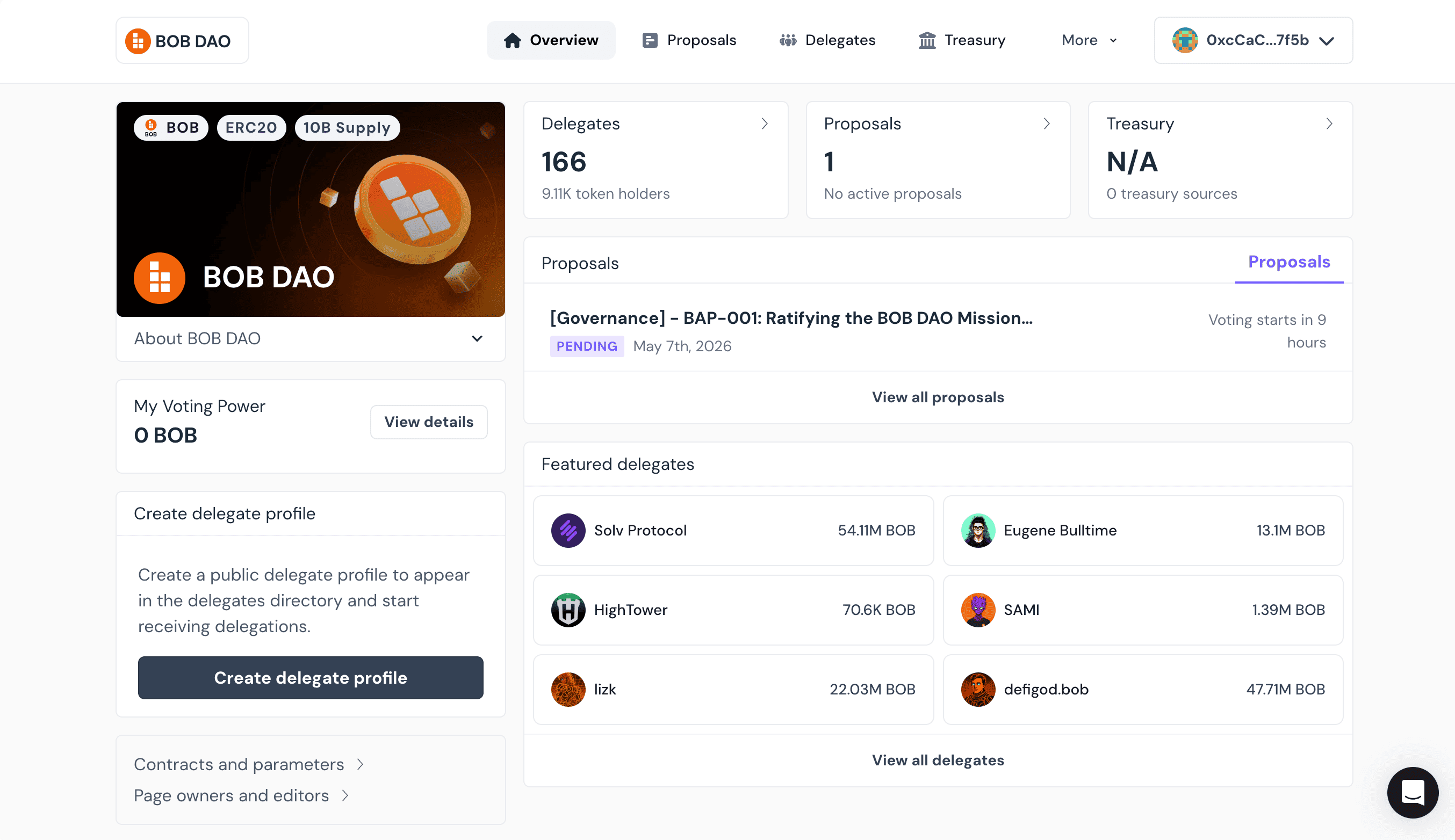
In the left panel of the overview page it will say you have zero voting power. This is because you haven’t delegated yet. Click ‘View details’.
-
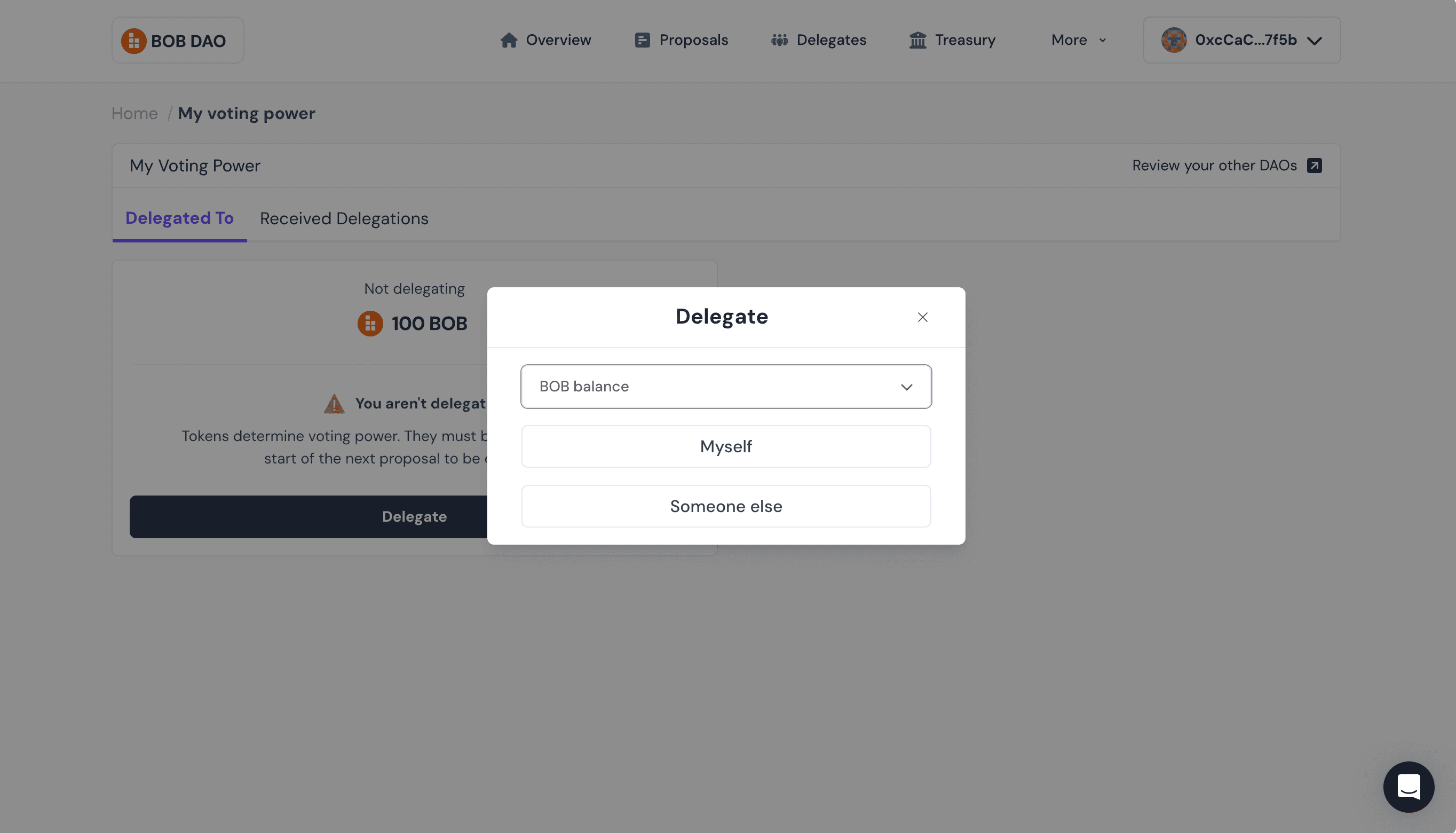
This will take you to a page summarizing your vote power. Click the ‘Delegate’ button, select your delegation source (BOB or staked BOB) and then click ‘Myself’
-
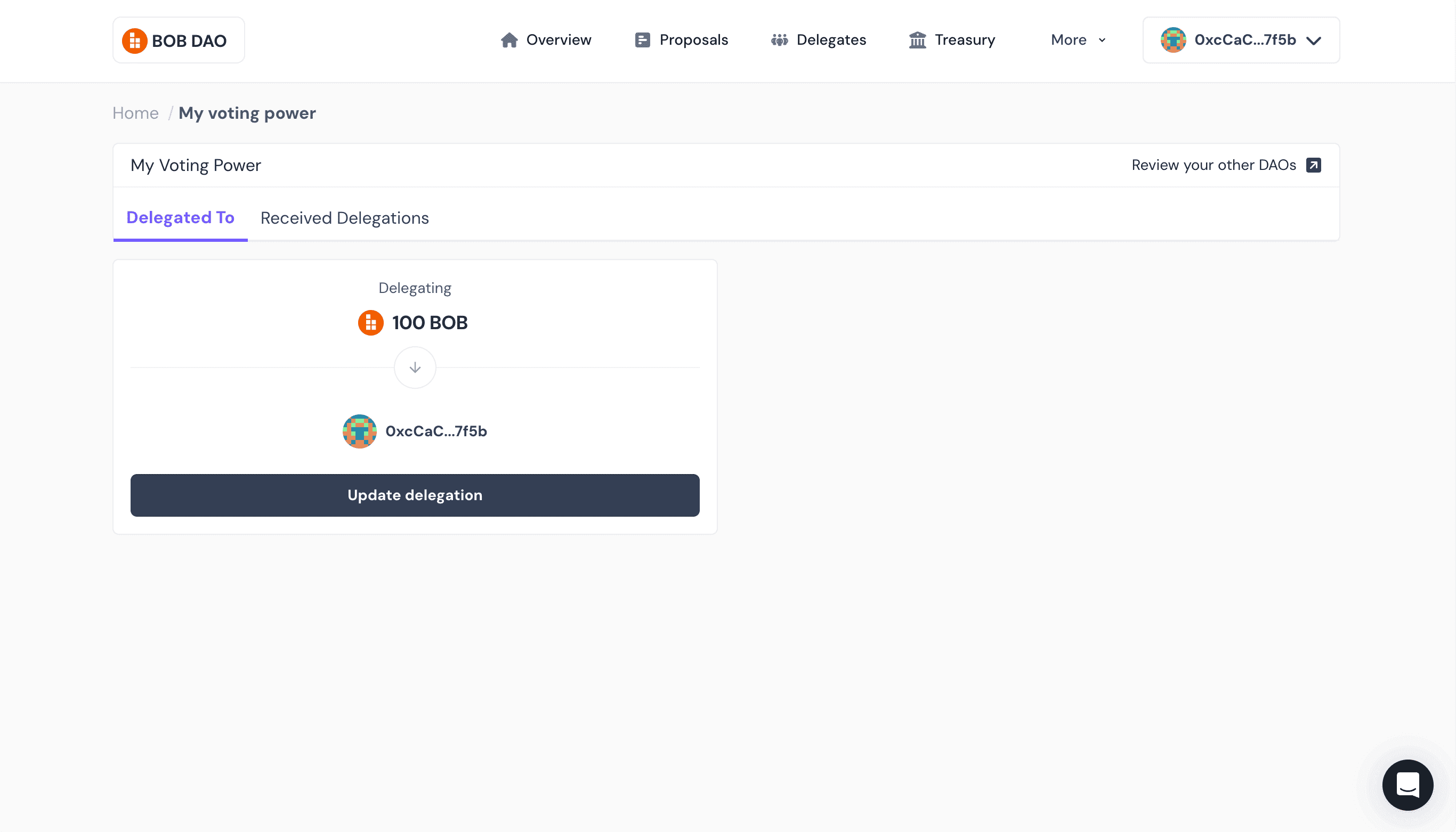
Sign the transaction - you will need a small amount of ETH on BOB for this. Your new voting power will be visible on the platform after about 30 seconds. This all needs to be completed before the proposal is live on the governance platform.
-
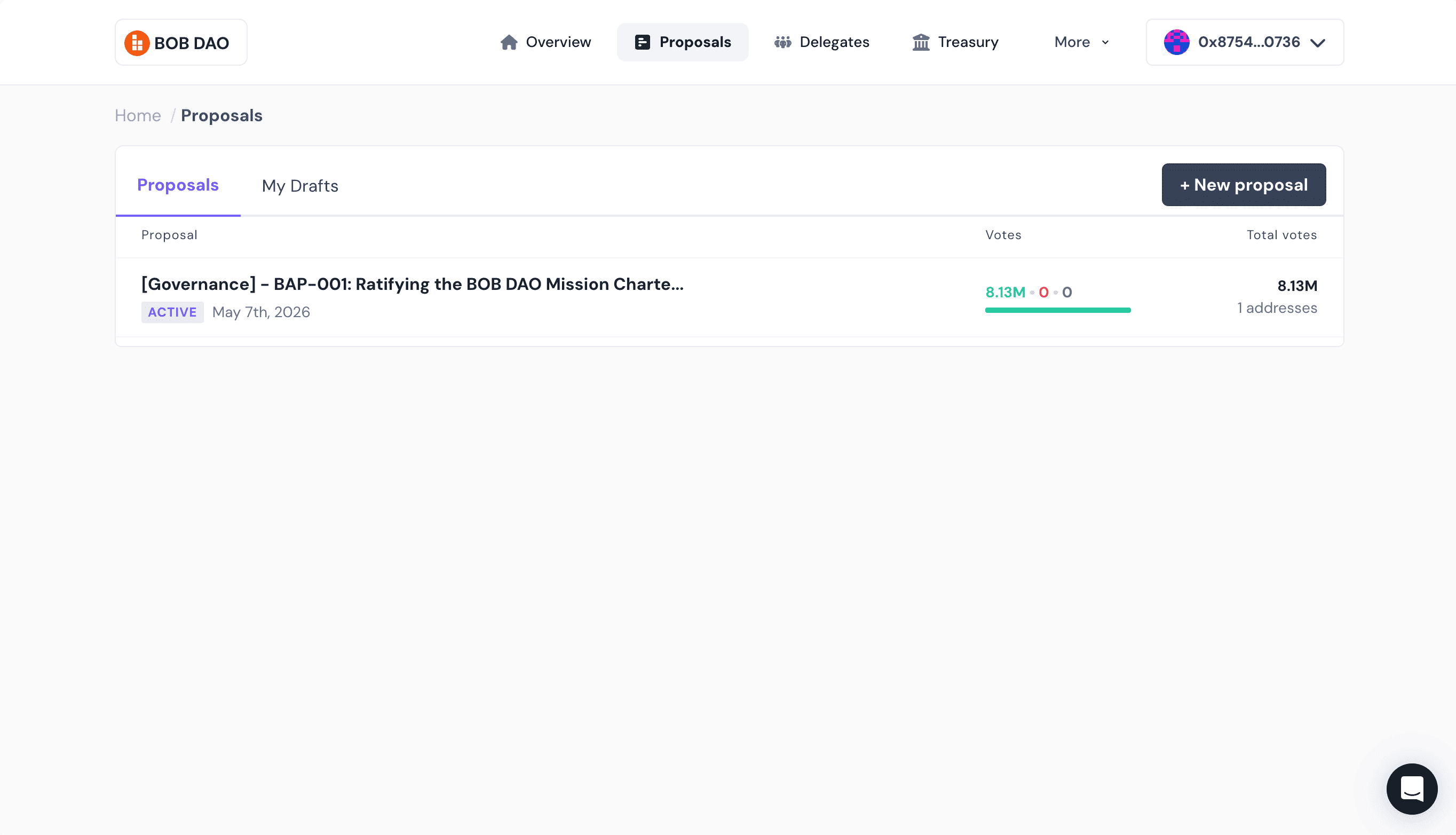
When a voting period has commenced, head to the proposals page, gov.gobob.xyz/dao/proposal/, and click into the BAP you want to vote on.
-
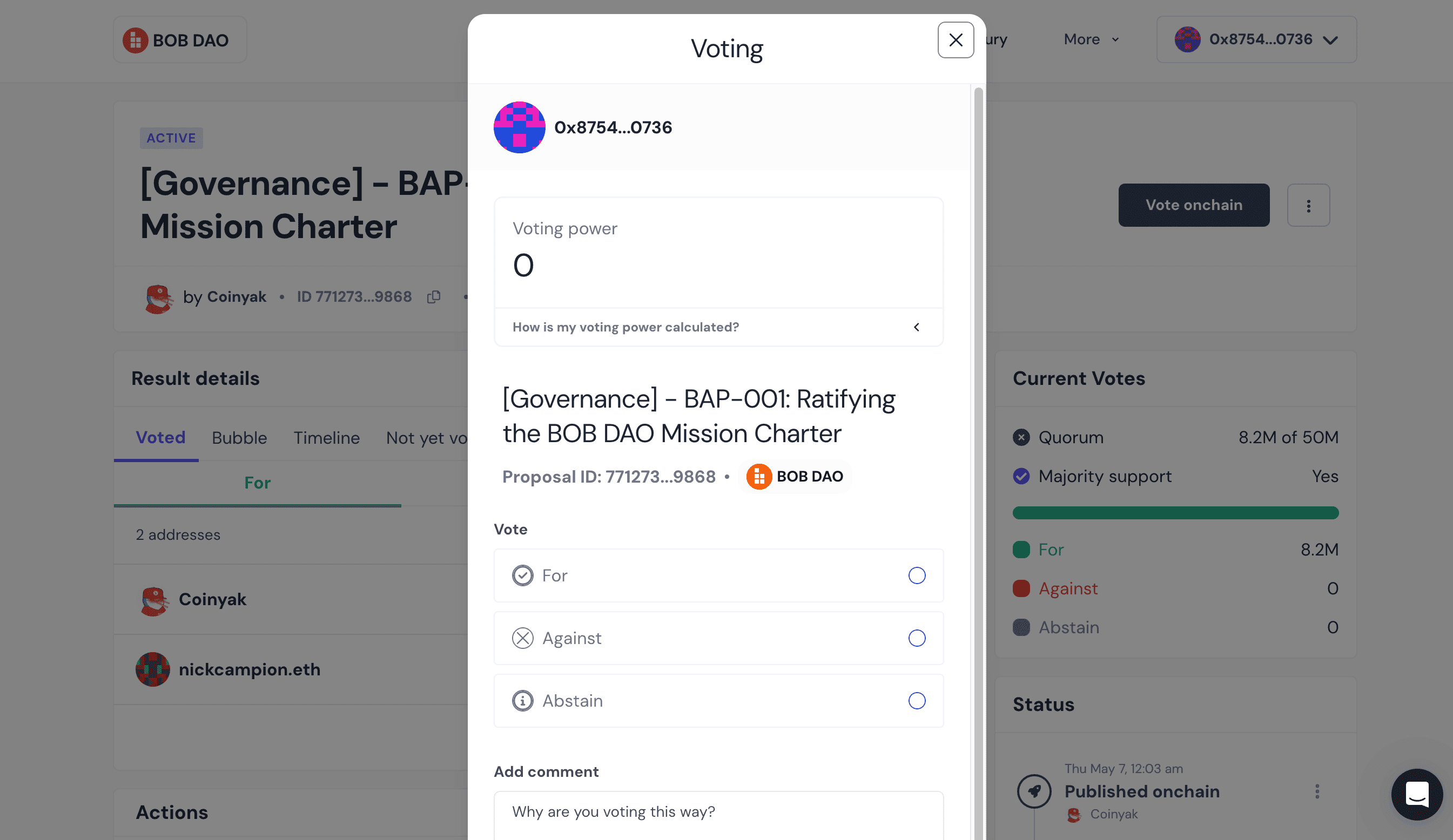
Select if you are for, against or abstaining, sign the transaction, and you’re done. You have officially voted in BOB governance.
Option 2 - delegation to a BOB DAO delegate
-
Go to the BOB Governance platform at gov.gobob.xyz/dao
-
Connect your EVM wallet that contains your BOB tokens, or that you used to stake your BOB, via the ‘Connect wallet’ button. It will ask you to sign in to the system with your wallet. No gas fee is required at this point.
-
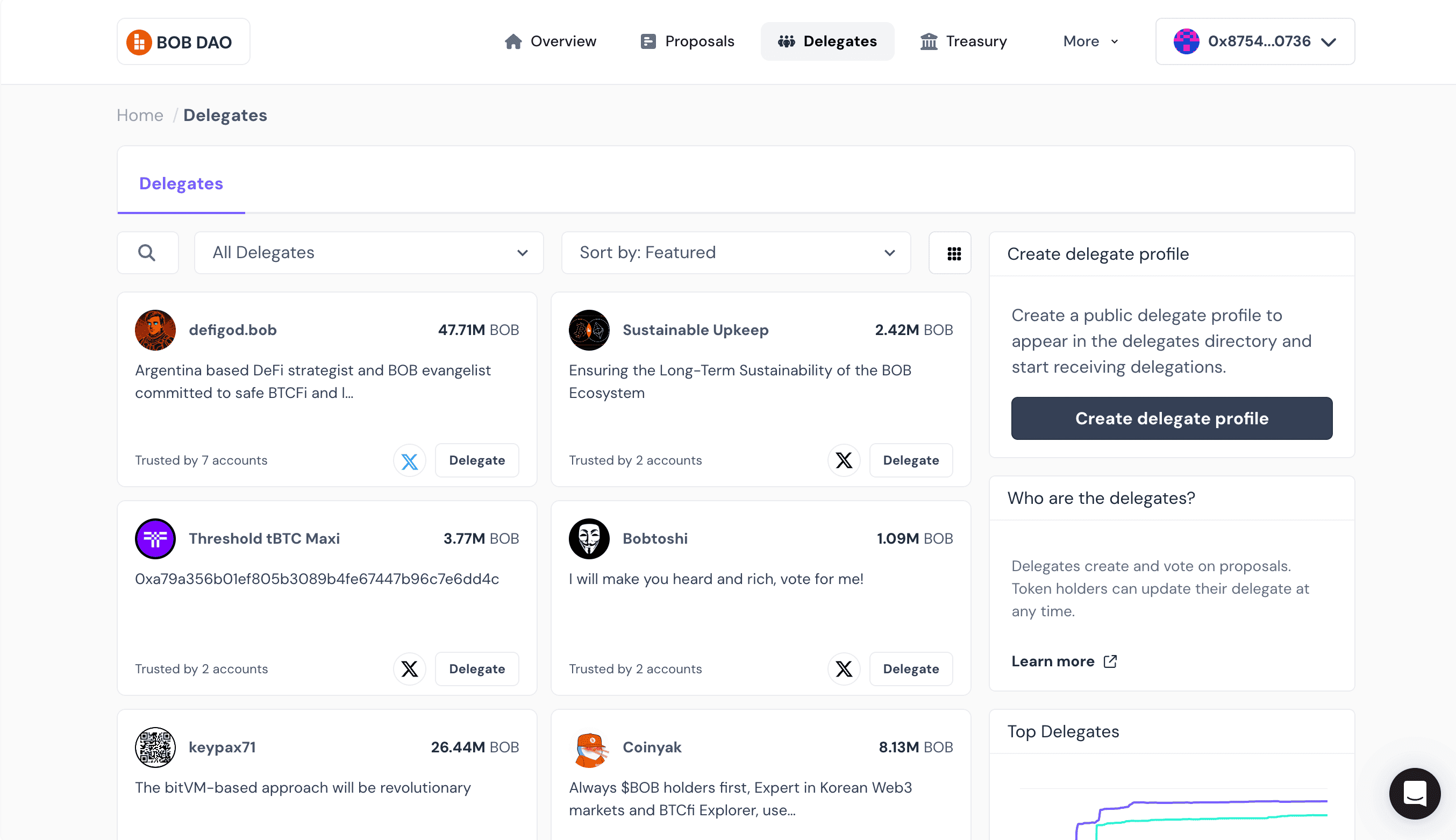
In the left panel of the overview page it will say you have zero voting power. This is because you haven’t delegated yet. Click the delegates tab in the top menu and you will be presented with all available delegates.
-
You can change the filters on the page to only show delegates with certain focuses - DeFi, technical and growth. You can delegate straight from this page, but it makes sense to do a bit of research first.
-
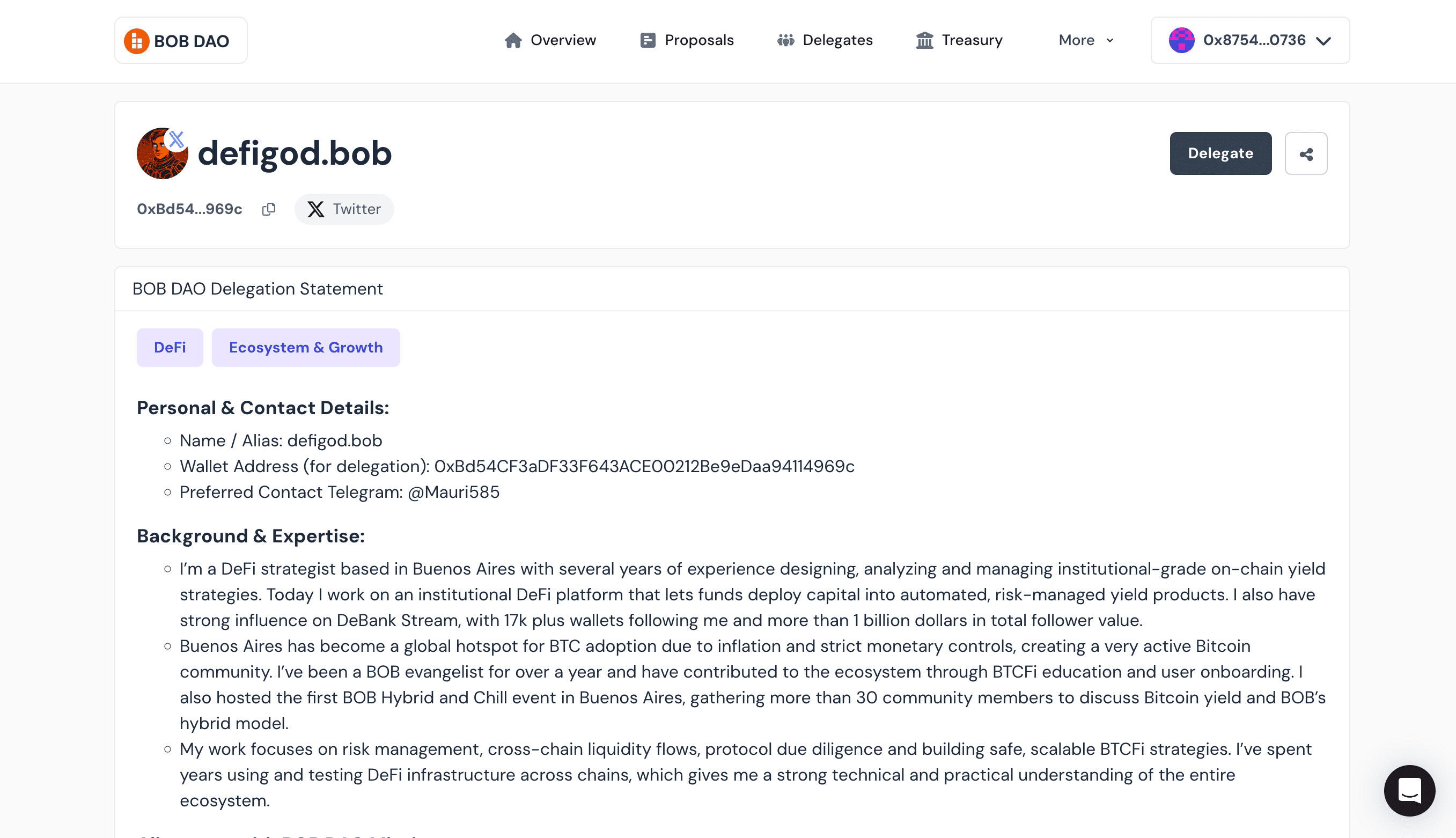
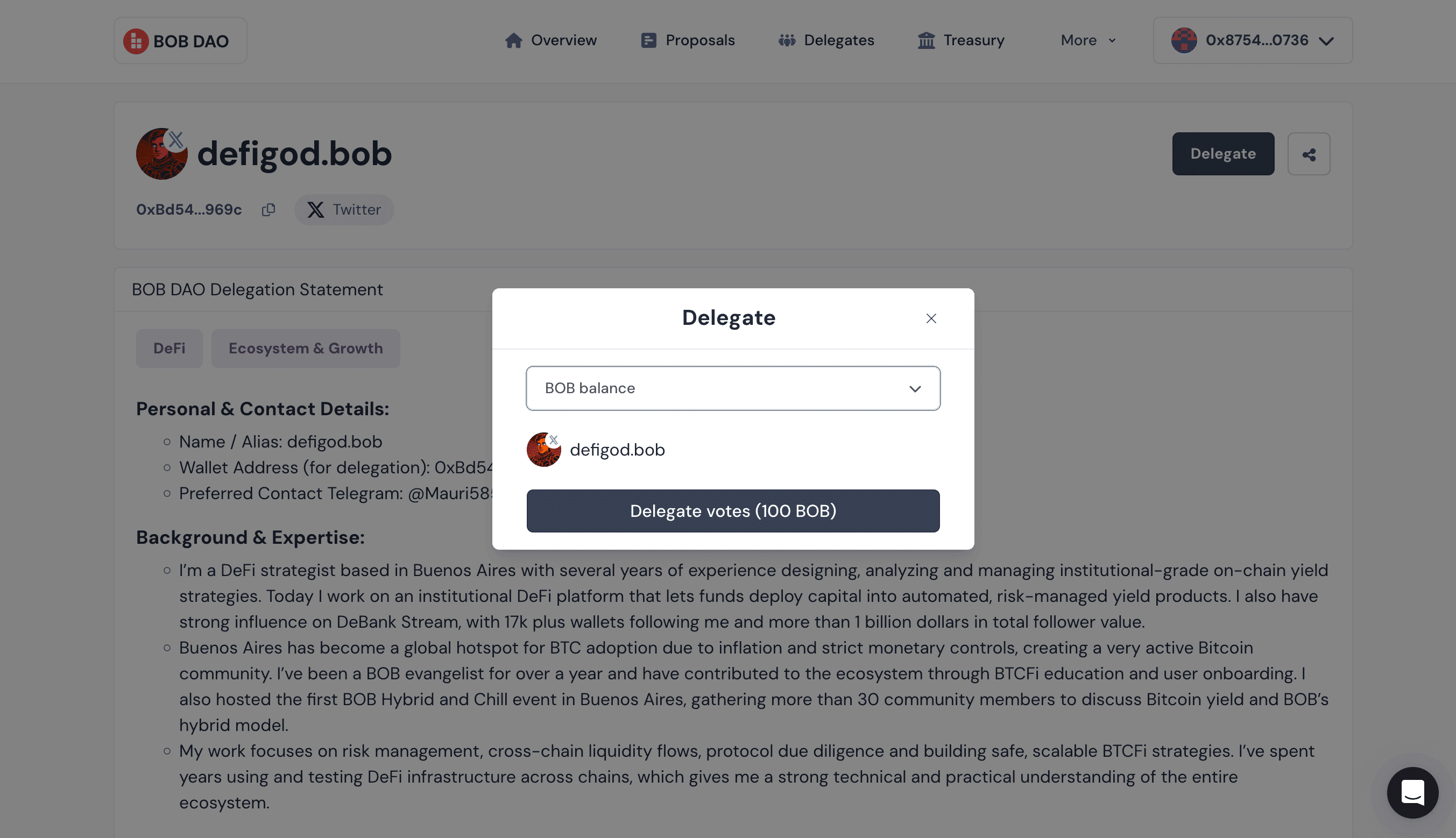
Click into one of the delegates that interests you and you’ll be able to access their delegation statement. This tells you all about the delegate, their experience and their interests. This allows you to find a delegate that best aligns with your voting intentions - since they will be voting with your vote power, you want to be happy with what they will do. You must delegate your full token balance to one candidate. When you have made your selection, click ‘Delegate’ in the top right of their profile.
-
Select your BOB balance and click ‘Delegate votes’. You’ll be asked to sign a transaction with your wallet. You will need a small amount of ETH on BOB for this transaction. After a short while your delegation will be visible on the overview page in the voting power box. And you’re done. Your delegate will use your vote power whenever they vote on a BOB governance proposal.
Frequently asked questions

Nick Campion
Head of Marketing
20+ years building global brands across Web2 and Web3. Prev. Head of Marketing at Flare Network; Director of Brand & Communications at F45 Training; Wieden+Kennedy.